
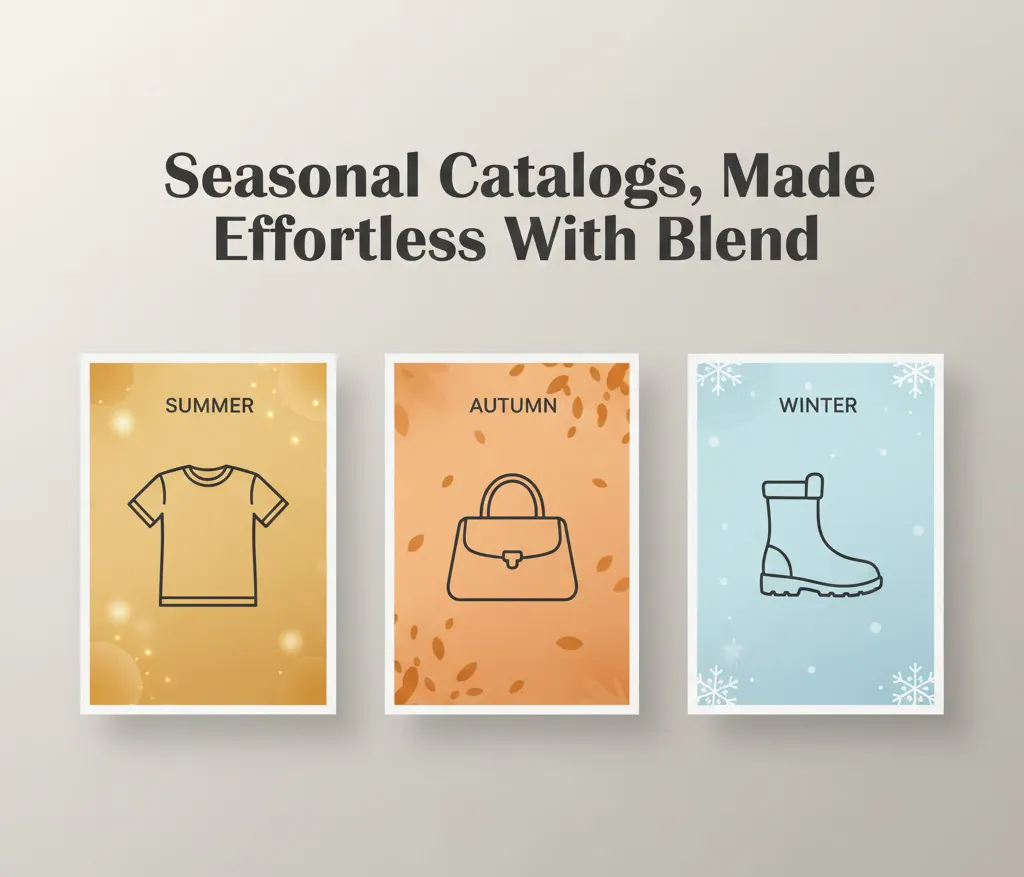
You know what? We recently celebrated the third anniversary of ChatGPT's launch. But to be honest, did we really think back in the day that ChatGPT and AI tools would become such a massive, indispensable part of our day-to-day lives? They are no longer just a productivity hack but an industry standard.
Looking back, the shift has been monumental. And to be fair, if you are an e-commerce seller still not using AI tools for your seasonal catalogs and branding, you are missing out big time.I don’t think there has ever been a time when you would need these tools more than right now. In fact, they are almost necessary to stay in the game.
Here is the "Why" (and the "How") behind the AI shift in fashion e-commerce.
The "Haunting" Reality of Seasonal Refreshes
As an e-commerce seller or a brand owner, the phrase "seasonal catalog refresh" probably feels a bit haunting, right? And let’s be honest, the amount of work that goes into traditional product shooting is massive. Shoppers only see the final polished image, but we know the intense effort that went into it.
We all know the drill: as seasons change, consumer demands change. Keeping your catalog up to date is the only way to stay relevant amid fierce market competition. With a fast-moving world and a wider audience obsessed with fast fashion, shoppers are more critical than ever.
Gone are those days when a generic product shot was enough for a consumer to make a decision and buy the product. Today’s customers are far more selective and quick to judge.
- A winter outfit should feel cozy.
- A streetwear look should feel bold.
- A summer dress should feel sunny and carefree.
It’s not even about buying the product just for the sake of it anymore. People buy stuff to associate with it and feel it represents them. They want that validation… posting on social media wearing that one trendy jacket in the snow or that one cute skirt on the beach. That’s the reality now.
Why Seasonal Product Photography Actually Matters
Before we dive into the "how-to," let's clarify why this effort is worth it.
It's not just about slapping a fresh coat of snow on a background or putting a model in a leather jacket. It's about matching the shopper's vibe in that particular month.
Social media is a dominant driver for sales right now. Staying visually relevant on platforms like Instagram and TikTok is crucial.
- Relevance = Engagement: People interact with posts that feel current.
- Engagement = Conversion: High interaction leads to higher sales.
- Efficiency = Profit: Reducing dependency on costly studio shoots increases your margins.
Whether it's Black Friday, Christmas, Diwali, or Back-to-School, Blend makes the transition effortless. You get an infinite catalog of different styles, however you want, whenever you want.
However, how feasible is that?
The Logistics Nightmare vs. The AI Solution
Logically and logistically speaking, achieving that "vibe" is a massive headache for a brand owner.
A well-thought-out seasonal shoot brings a lot of baggage to the table:
- Casting & Booking Models: Finding the right look for your demographic.
- Location Scouting: You can't shoot a "Summer Beach" vibe in a rainy London studio.
- The Cost: Photographers, makeup artists, lighting crews.
And doing that for 100s of SKUs, let's not even talk about that.
It's not only exhausting in terms of time and energy; your operational budget feels the heat, too. If you operate with a small team, your operational expenses skyrocket, and you still might not get the exact result you envisioned.
And even if you think you’re smart enough to handle it yourself with random tools… well, good luck with that too. Because then you’re juggling a hundred different websites, paying for multiple subscriptions, and spending hours tweaking edits that still look just “okay.”
Eventually, it's not just about cost and feasibility, but also about delivering the results, i.e., the sales.
That is where Blend comes in.
Think of Blend as your dedicated, platform-agnostic creative studio in a web app. It doesn't matter if you are selling sneakers, handbags, or haute couture dresses; Blend provides the engine to visualize them all. We don't just "assist" you; we take the heavy lifting off your hands entirely.
Who Is Blend Built For?
- D2C brands
- Marketplace sellers
- Social commerce entrepreneurs
- Designers & creative marketers
- Small teams with big ambitions
If visuals influence your sales, Blend changes the game.
Blend’s Lifestyle Shot / AI Model Feature
Inside the Blend web app, you’ll find a feature that feels like a real studio:
- AI Lifestyle Backgrounds
- AI Fashion Models (great for clothing, jewelry & accessories)
- Automatic Product Cutouts & Shadowing
- Batch Creation for entire catalogs
- Brand-safe styling customizations
Your static product → placed into a beautifully styled seasonal scene → export-ready visuals.
(Yes, it’s as cool as it sounds.)
The Agnostic Toolkit: One App, Infinite Looks
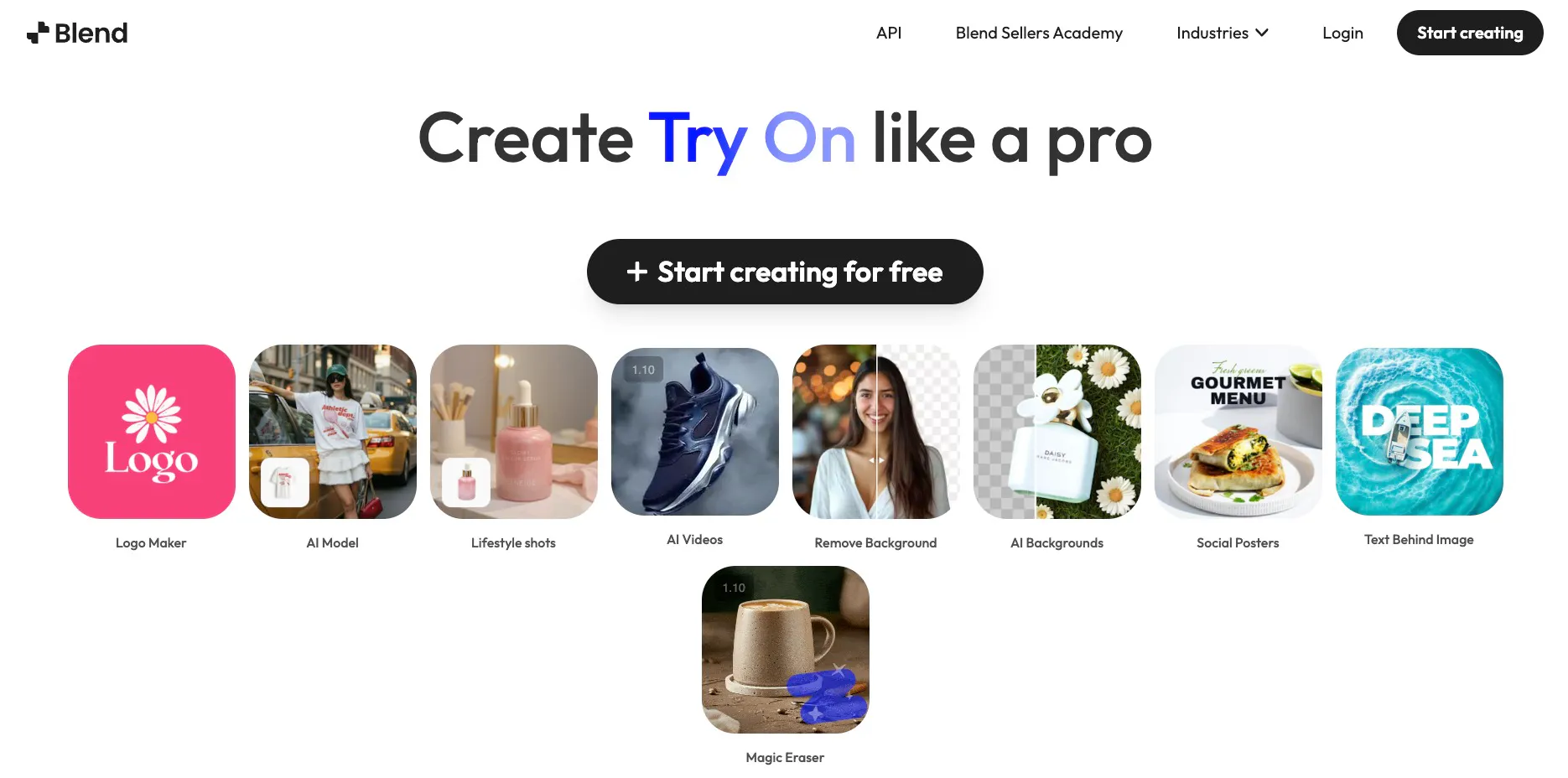
Inside app.blendnow.com, you have access to two powerhouse features that work for all types of apparel and accessories and help maintain their catalogs.
- Lifestyle Scenes (AI Backgrounds): This feature takes your product, removes its original background, and places it into a hyper-realistic, AI-generated scene based on your prompts.
- AI Models: This is the game-changer. Blend can take wearable products (like sunglasses, jewelry, hats, or tops) and realistically place them onto a diverse range of AI-generated human models.
By combining these, we can move from a sterile product shot to a vibrant, seasonally appropriate lifestyle image.
Guide to Create Seasonal Catalog Images in Minutes
Let’s walk through a real-world example. Imagine we are selling a pair of stylish leather jackets. A plain photo won't sell them in December. We need to give them a "stylish yet cozy" vibe.
1) The Setup and Upload
First, log in to app.blendnow.com.
Let's head directly to Lifestyle Shot first. You can directly upload the images and try other features as well. But we focus on creating a catalog right now.
The Lifestyle Shot :
(works for everything from Footwear, Handbags, Accessories, and Flat Lays)
Imagine you are selling a beverage can. A plain photo won't sell the "refreshing" vibe needed for summer, or the "cozy" vibe required for winter.
- Upload: Head to the Lifestyle Shot tab and upload your product image. Blend automatically removes the background.
- Prompt: Select a theme or type a custom prompt. Example Prompt: "On a rustic wooden bar top with a fruit garnish, cinematic lighting, and bokeh background."
- Generate: Click the button. Blend generates a hyper-realistic scene, adjusting your camera's lighting to match the environment.
The Result: You get a studio-quality marketing asset in seconds, not days.
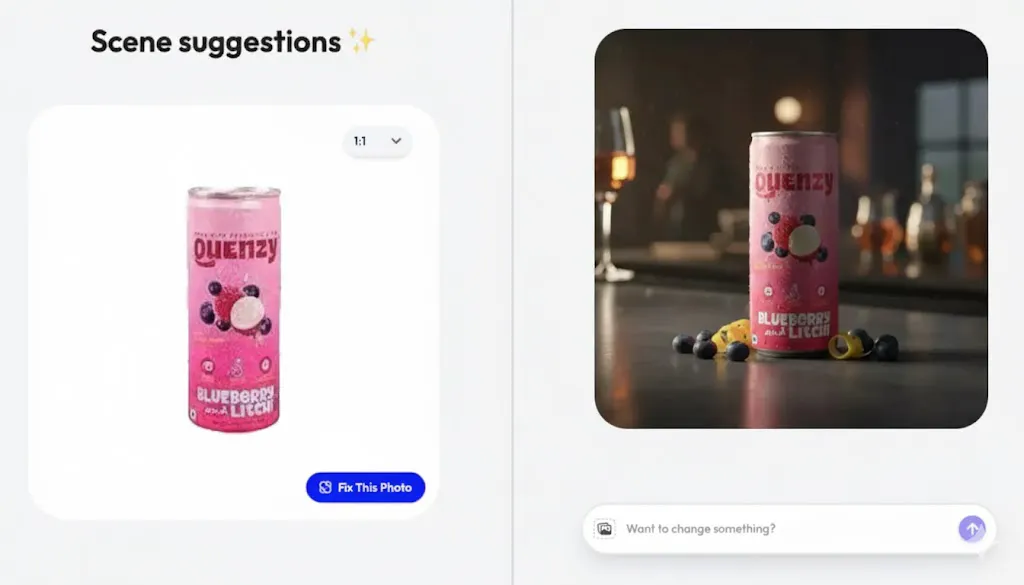
And just like that, we’ve got the perfect final image! Feel free to tweak it, try new themes, or export it for use. You’re in complete control, exciting.
You can apply this to all your SKUs, from dresses to sunglasses and beyond, and you won’t even have to sweat over it!
The AI Model Feature:
(works best to show try on Footwear, Clothing, and Jewelry)
Let's look at the "White Dress" example. On a hanger, it looks plain. On a person, it looks like a purchase.
- Upload: Choose the AI Model tool and upload your flat-lay or mannequin photo of the dress.
- Select a Model: Choose from Blend’s diverse library of AI models (varying in size, ethnicity, and age).
- Generate: Blend’s AI realistically "drapes" the clothing onto the model, understanding fabric physics and fit.
- Seasonal Context: Combine this with a background prompt to place that model in a relevant scene (e.g., "Walking through a spring garden").
The Result: A realistic try-on photo that looks like a high-budget fashion shoot
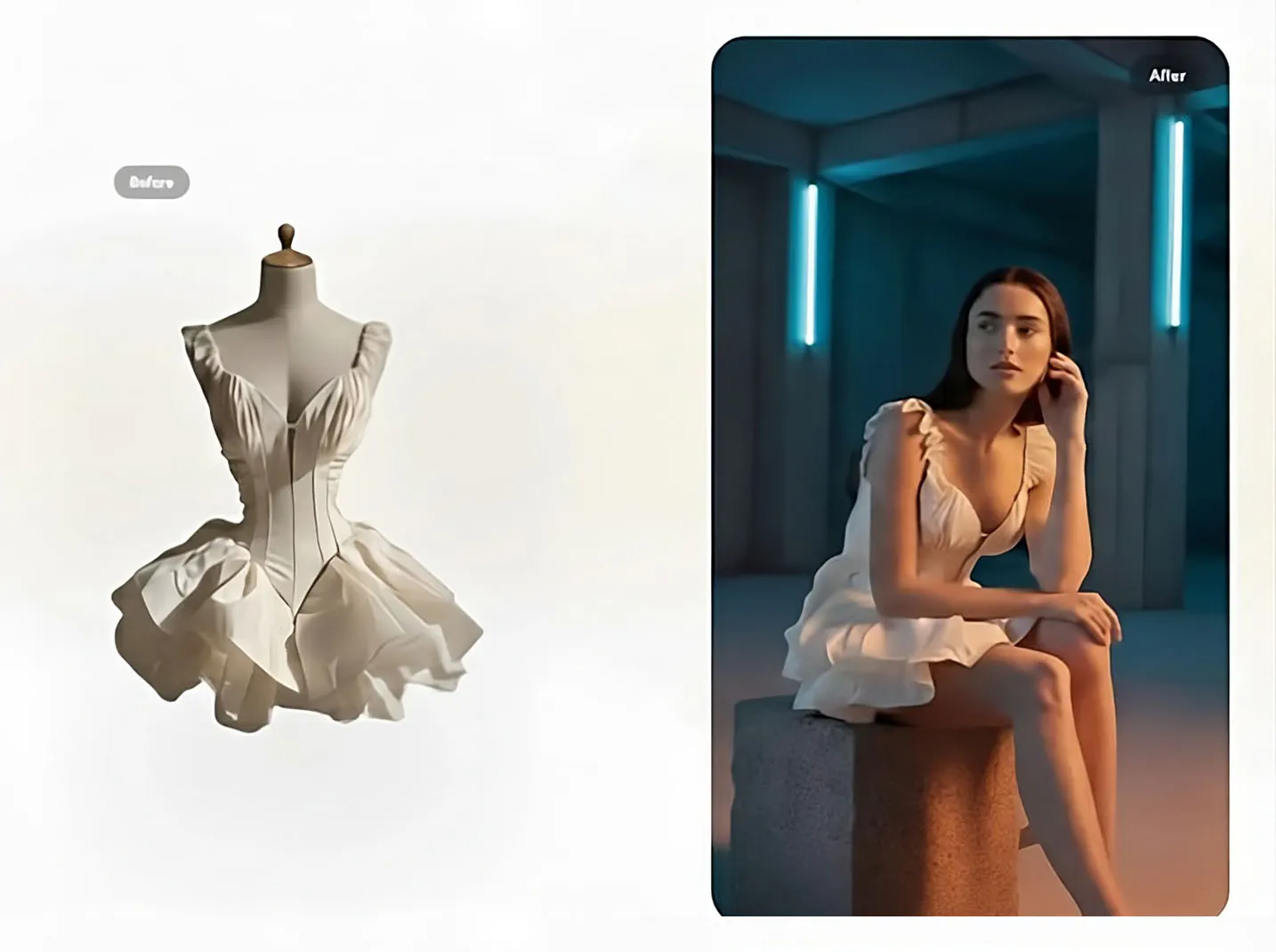
Notice the difference: the same dress is now showcased on a professional model with a stylish, visually appealing background. And that’s not all, you can generate multiple variations, explore different poses, and even customize the style to your preference.
Have a look at some more iterations. See, the difference is so visually evident. This try-on feature is not only appealing but also detailed.
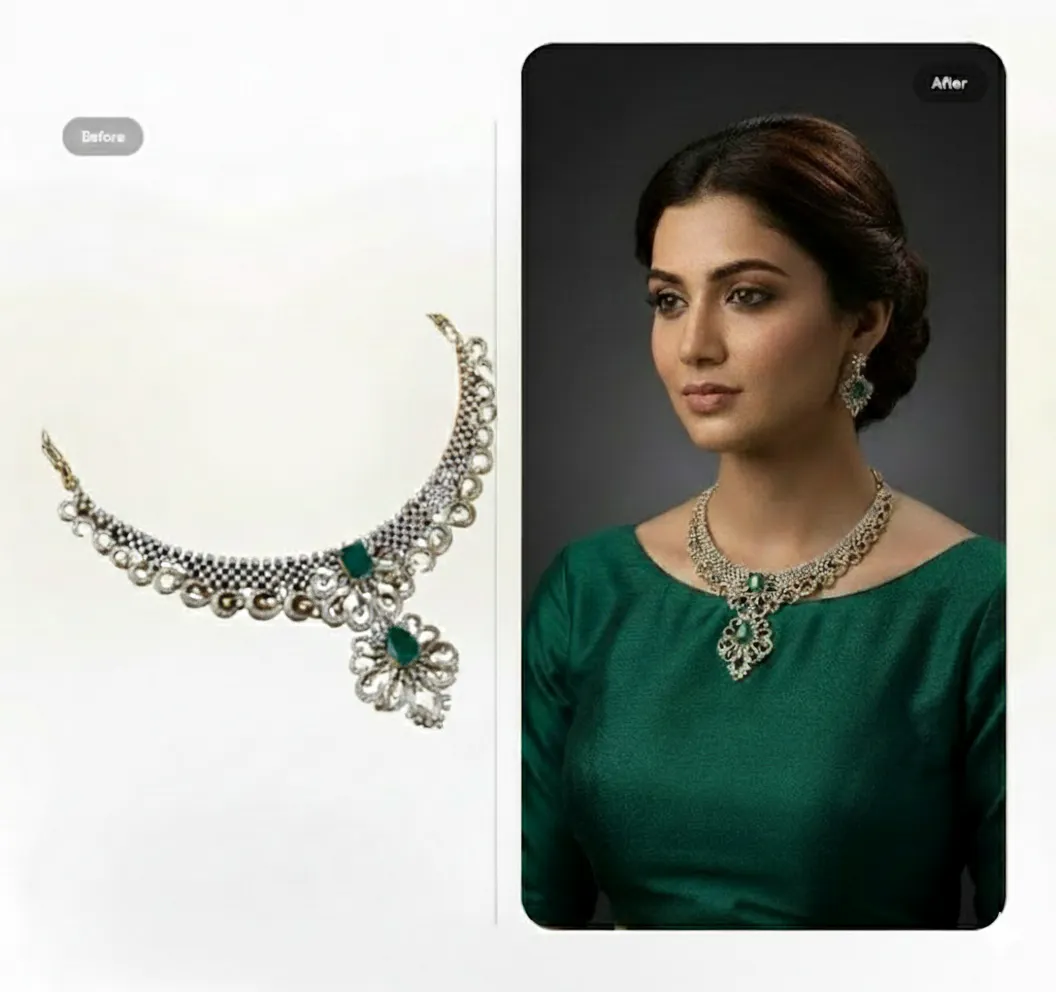
Just picture this: Lifestyle Shots working together with AI Models, everything suddenly looks so much more attractive. You end up with a stunning product catalog plus realistic try-ons where the model genuinely brings the outfit to life. That’s precisely what you need to boost online traction.
So in just five easy steps, you can have your entire seasonal catalog ready to go:
- Log in to the Blend web app
- Choose the feature you want to use (Lifestyle Shot / AI Model)
- Pick your seasonal style or theme
- Customize for your vibes — lighting, props, models, colors
- Preferred a conversational tone because we want to educate the other person and not make them feel dumb.
Conclusion: Visuals That Convert
With Blend’s Lifestyle Shot / AI Model, you can:
- Build catalogs in days, not weeks
- Sell with fresh seasonal energy year-round
- Never wait for photoshoot logistics again
You can pick your vibe from ready-to-go themes like Christmas, Spring Florals, or Beach Days. You can even turn these static images into short videos, giving you a cheat code for TikTok and Reels content.
Blend gives you the creative freedom and the business results you need. Better visuals. Stronger social presence. Higher orders and retention. That is what truly matters.
So stop waiting for production delays and start creating beautiful seasonal shots today at app.blendnow.com.