
If you’re a seller trying to stand out online, you already know this: flatlay photos don’t sell—stories do.
Buyers don’t just want to see what you’re selling—they want to see how it looks in real life. On a real person. In a real setting.
But getting professional model photoshoots done for every product? That’s expensive, time-consuming, and often out of reach—especially for solo entrepreneurs and small brands.
That’s exactly why we built Try On in Blend.
✨ The Magic of Try On: From Basic to Beautiful in Seconds
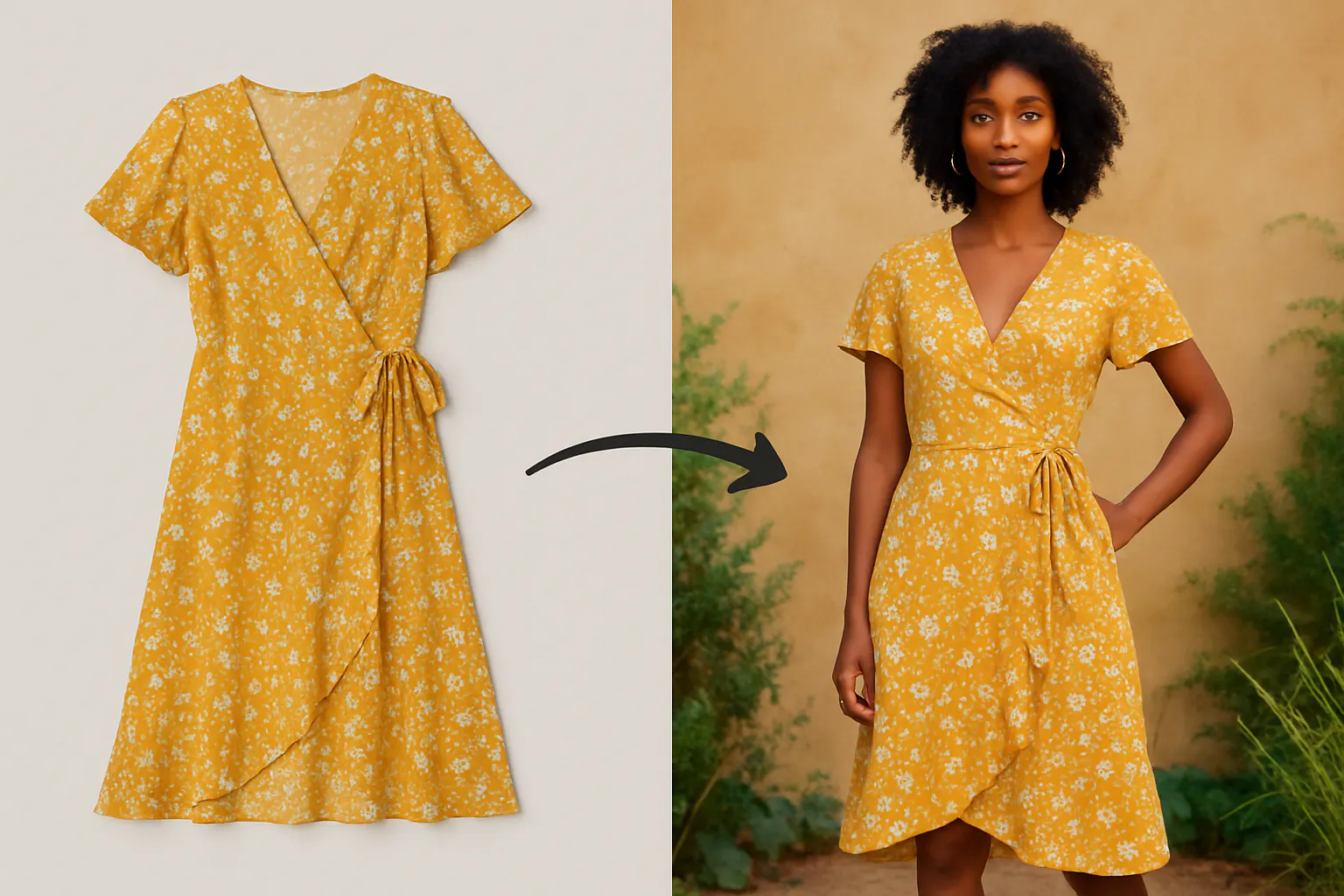
Try On takes your flatlay or mannequin product photo and turns it into a stunning model photoshoot—automatically.
No studio. No photographer. No hiring models. Just your product image, a few clicks, and AI magic.
Here’s what you do:
- Upload your clothing or jewelry image (flatlay, packshot, or mannequin).
- Choose a model—or tap “Surprise Me” to let AI pick based on your product.
- Select the correct clothing type (if not auto-detected).
- Generate. Done.
In seconds, you get a full-body model shot, beautifully lit and styled in a realistic setting—ready to post, list, or advertise.
🎯 Why This Changes the Game for Sellers
Traditional flatlays are static and lifeless. But model photos show movement, fit, and style. They create emotion. They create connection.
That’s what makes Try On so powerful. With almost zero effort, you can:
- Instantly upgrade your product visuals
- Showcase fit and form with human context
- Create a polished brand presence even from your phone
- A/B test styles and settings to find what resonates with customers
It’s your own virtual photoshoot studio—just without the overhead.
🛍️ Real Use Cases: From Small Shops to DTC Brands
Handmade Boutique, High-End Look
A small kurti seller used Try On to convert her fabric-on-floor photos into lifestyle model shots. Her product listings now rival big brands—and her orders tripled in two weeks.
Jewelry Maker, Global Appeal
An artisan uploaded images of earrings on a white background. With Try On, she now shows them on models of different ethnicities and styles, instantly reaching a wider audience.
Streetwear Drop, Styled in Seconds
A Gen Z seller dropped a line of oversized tees. Using Try On, he showcased them on edgy models in urban backdrops—without ever leaving his bedroom.
🧠 “Surprise Me” — Your AI Stylist
Not sure which model to pick? Try On’s “Surprise Me” option considers your product’s style, color, and vibe to choose a model that enhances the look naturally.
It’s not random. It’s intentional. And often, it delivers a visual you didn’t know you needed.
📸 Your Runway, Now Open
You no longer need big budgets or a creative team to make your products look amazing.
Try On brings studio-quality model photography to your fingertips—and unlocks the power of visual storytelling for everyone.
All it takes is one image.
👉 Upload your first flatlay and turn it into a runway-worthy photo today.
The difference is instant. The results? Totally transformative.
Frequently Asked Questions
Can I create product photos without a photographer?
Yes, AI tools like Blend allow you to generate professional product photos without hiring a photographer or using a studio setup.
What types of products work with AI model photography?
Fashion, accessories, beauty products, lifestyle goods, and many ecommerce products with clear shapes work best.
How does AI product photography work?
It uses AI models to place your product into realistic scenes, lighting conditions, and human poses automatically.
Is this suitable for Shopify and Amazon listings?
Yes, outputs are typically high-resolution and optimized for ecommerce platforms and marketplace standards.
How does Blend compare to hiring a photographer?
Blend significantly reduces cost and time while allowing unlimited variations, unlike traditional photoshoots which are expensive and time-consuming.
Can I create multiple images from one product photo?
Yes, a single product image can generate multiple model shots, lifestyle scenes, and marketing visuals.
Do I need editing skills to use this?
No, the process is designed to be automated, requiring minimal or no editing experience.