


A background color can completely change the way an image looks and feels. Think about the last time you shopped online. Chances are, the products that caught your attention weren't just great products. They were presented well. A clean white background made them look professional. A carefully chosen color made them feel premium. A branded backdrop made them recognizable.
The truth is that the background often influences first impressions before people even notice the subject itself.
From creating product photos for your ecommerce store to designing social media content and updating marketing materials, learning how to change background color can help you create more polished and professional visuals.
With the help of modern AI tools like Blend, you can automatically remove existing backgrounds and replace them with any color you choose in just a few clicks. Let;s find out how to change background color of an image, when to use different colors, and how Blend makes the entire process fast and effortless.
Why Background Color Matters
Most people focus on the subject of an image, but the background plays an equally important role.
The right background color can make your subject stand out, strengthen your branding, and create a cleaner overall composition. It can also influence how viewers perceive your product or content.
For example, a white background creates a professional and distraction-free look, which is why it's widely used in ecommerce. A black background can add a premium feel to luxury products, while soft pastel colors are often used by beauty and lifestyle brands to create a modern aesthetic.
If you are trying to improve the visual impact of an image, changing the background color is often one of the quickest and most effective edits you can make.
How to Change Background Color of an Image Using Blend
If you are looking for a quick way to change image background color without Photoshop, Blend makes the process simple.
1. Upload Your Image
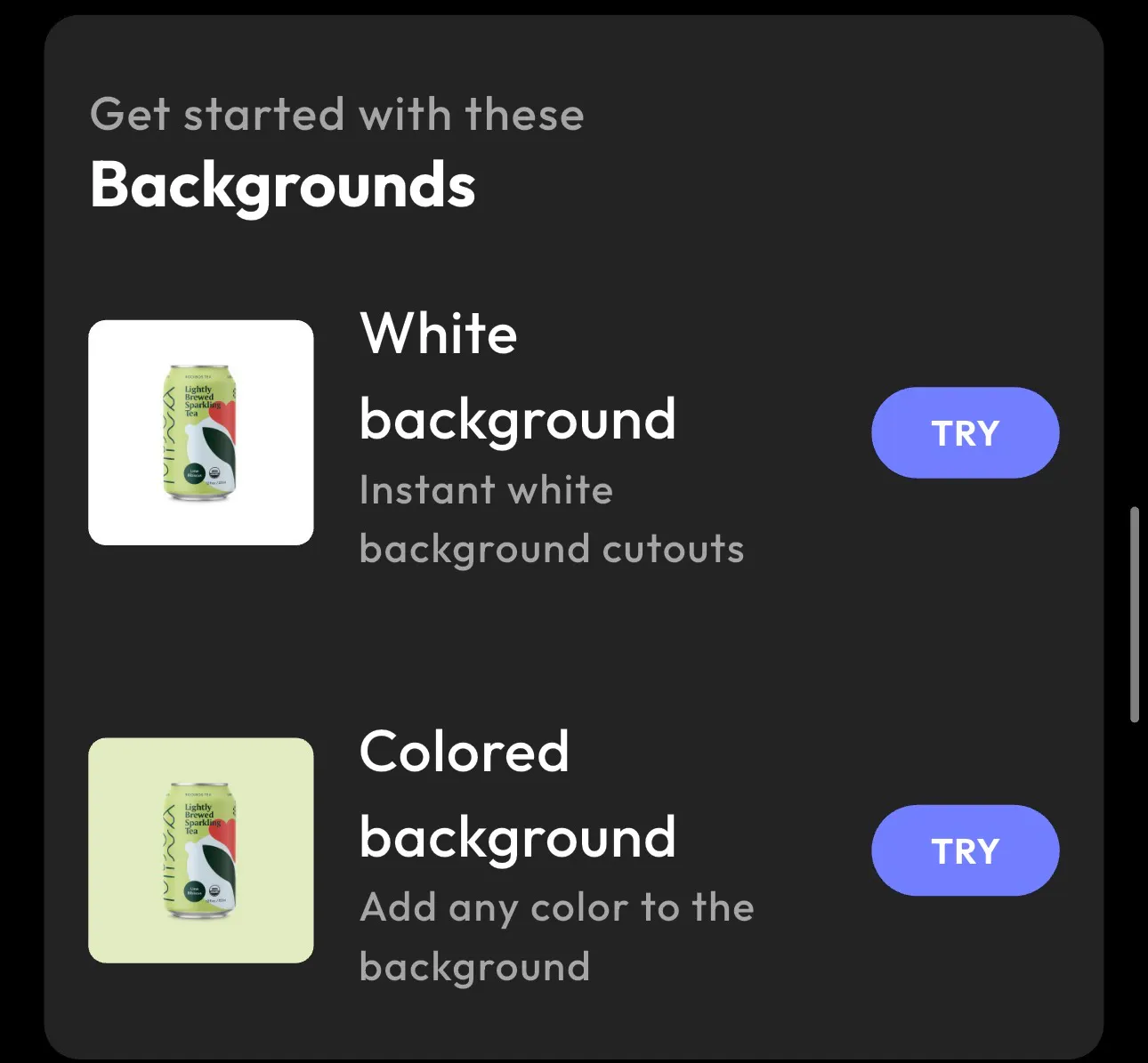
Start by uploading the image you want to edit into the Blend app. The AI automatically detects the main subject and separates it from the background. This eliminates the need for manual selections and complicated editing tools. Whether you are editing product photos, portraits, fashion images, or marketing content, Blend prepares your image in seconds.
Once your image is processed, choose the Colored Background option. Blend removes the existing background and creates a clean cutout of your subject, making it ready for customization.
2. Pick a Background Color
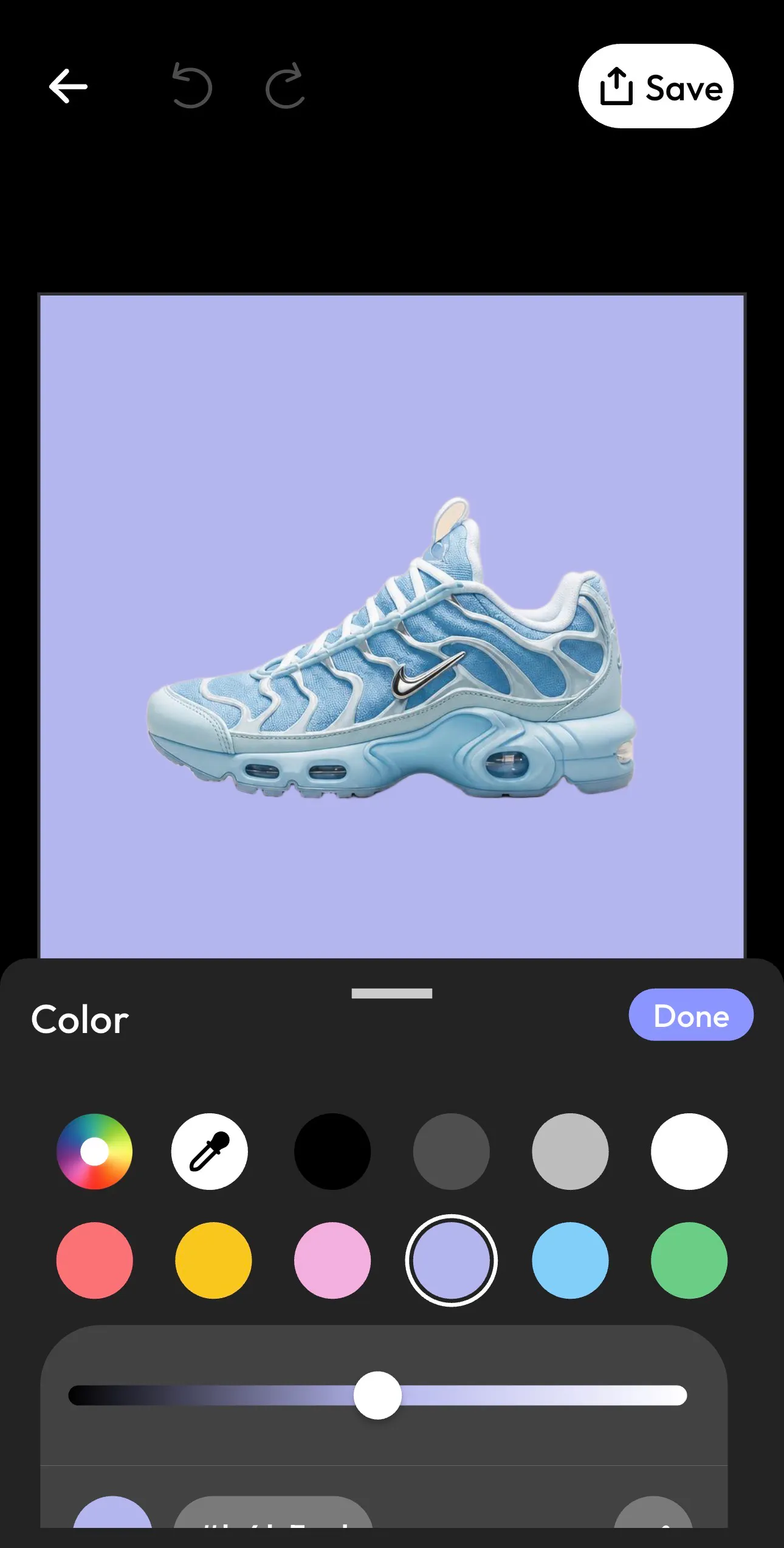
Choose from preset colors or enter a custom HEX code to match your brand guidelines. You can easily create:
- White backgrounds for ecommerce
- Black backgrounds for luxury products
- Pastel backgrounds for lifestyle brands
- Vibrant backgrounds for marketing campaigns
- Brand-colored backgrounds for consistency
3. Fine-Tune the Shade
Use the color adjustment controls to customize the exact shade you want. Even subtle changes can dramatically affect the final appearance of your image.
4. Apply Changes and Export
Once you are satisfied with the result, apply the changes and export your image. In less than a minute, you've successfully changed the background color of your photo without Photoshop or complicated editing software.

Best Background Colors for Different Types of Images
Not every image benefits from the same background color. The best choice depends on your subject and how you plan to use the image.
White Background
White backgrounds remain the most popular choice for ecommerce photography. They create a clean and professional appearance while keeping attention focused on the product. Many online marketplaces also prefer or require white backgrounds for product listings.
Black Background
Black backgrounds create contrast and visual impact. They work particularly well for luxury products, electronics, jewelry, and premium branding because they add a sense of sophistication and exclusivity.
Pastel Backgrounds
Pastel colors are commonly used in beauty, skincare, fashion, and lifestyle photography. These colors create a soft, modern look that feels approachable and visually appealing.
Brand Colors
Using your brand colors across product images and marketing materials helps create brand consistency. When customers repeatedly see the same visual style, they begin to associate those colors with your business, strengthening brand recognition over time.
White Background vs Colored Background
Many people wonder whether they should use a white background or a colored background. The answer depends on your goals:
Factor | White Background | Colored Background |
Best For | Ecommerce stores, product catalogs, Amazon listings, marketplaces | Social media posts, advertisements, branding campaigns |
Visual Style | Clean, professional, and minimal | Bold, creative, and attention-grabbing |
Primary Advantage | Keeps the focus entirely on the product | Adds personality and strengthens brand identity |
Impact on Branding | Neutral and consistent | Helps reinforce brand colors and visual identity |
Customer Perception | Trustworthy, polished, and professional | Memorable, engaging, and distinctive |
Use Cases | Product photography, online stores, catalogs | Marketing materials, social media content, promotional campaigns |
Potential Drawback | Can sometimes feel generic or less memorable | May distract from the subject if the color is too strong |
Recommended When | You want clarity, consistency, and a marketplace-ready look | You want to create mood, tell a story, or stand out from competitors |
The Bottom Line: White backgrounds are ideal for showcasing products in a clean, professional way, while colored backgrounds are better for building brand recognition and creating visually engaging marketing content. Many successful brands use white backgrounds for product pages and colored backgrounds for advertisements and social media campaigns.
How Background Color Affects Product Photography
Product photography is often the first thing customers see when they encounter your brand.
A cluttered or distracting background can reduce the perceived value of a product, while a clean, intentional background can make it appear more professional and trustworthy.
This is one reason why so many ecommerce businesses use an AI background color changer. Instead of reshooting products every time they need a different visual style, they can simply replace the background color and create an entirely new look.
A skincare product, for example, might look fresh and natural against a soft beige background. The same product can appear premium and luxurious against a dark backdrop.
Small visual changes often have a surprisingly large impact on how customers perceive a product.
How to Choose the Right Background Color
When deciding how to change background color, start by considering your subject. A background should complement the subject rather than compete with it. If the colors are too similar, the subject may blend into the background and lose visibility.
It's also important to consider your brand identity. Consistent colors help create a recognizable visual style across websites, advertisements, and social media channels.
Finally, think about where the image will appear. Ecommerce platforms often favor clean backgrounds, while social media content typically allows for more creativity and experimentation.
Conclusion
A background color might seem like a small detail, but it can dramatically influence how people perceive your images. With Blend, you can upload an image, remove the original background, choose any color you want, and create high-quality visuals in minutes.