
Blend vs Pixelcut
Pixelcut is a mobile-first AI photo editor for e-commerce, strong at background removal, batch edits, and templates. Blend is an AI photo and video studio that generates new product shots, including on-model try-on and lifestyle scenes, not just edits to photos you already have. As a Pixelcut alternative, Blend adds the model and staging tools that photo editing alone cannot cover.


From editing product photos to generating them
Here is how Blend compares with Pixelcut across an e-commerce workflow, from on-model try-on to lifestyle staging and video.
| Features |  |  |
|---|---|---|
| Background Removal | ✓ | ✓ |
| AI image generation | ✓ | ✓ |
| Batch editing | ✓ | ✓ |
| No prompt required | ✓ | ✓ |
| AI Chat | ✕ | ✓ |
| Dedicated UI | ✓ | ✓ |
| Export Quality | HD + Upscale | HD + Upscale to 4k |
| AI Models/Virtual Try On | ✕ | ✓ |
| Lifestyle shots | ✓ | ✓ |
| Studio shots | ✓ | ✓ |
| AI Videos | ✓ | ✓ |
| Product templates | ✓ | ✓ |
| Social media post scheduler | ✕ | ✓ |
Trusted by sellers across the globe
Read feedback from e-commerce brands who switched to Blend for their visual needs.
 App Store
Necessities Brand
A brand from US
Acerolover
Spain
 Google Play
Diana L Cruz O
Android user · Spain
Keerthana Philip
Founder, Sköl, a beverage brand
Watch how to create with Blend
How does having a dedicated UI help over a chat only UI in nano banana? Watch these videos to see how easy it is.
 ▶
▶How to create lifestyle product photos using AI
Turn boring product photos into stunning lifestyle shots in seconds using AI. Transform simple images into professional, high-converting visuals with Blend. No photoshoots, no expensive setups - just upload your product and let AI create realistic environments, lighting, and compositions that make your products stand out.
Watch Video ▶
▶How to put clothing and jewellery on AI Virtual Models
This video how to place your products on realistic AI virtual models using Blend. Simply upload your product, choose or generate a model, and create stunning, lifelike visuals in minutes.
Watch video ▶
▶How to Create AI Product Videos for Ads and Reels
Want to turn a single product photo into engaging videos for ads, reels, and social media? Transform static product images into dynamic, professional-looking content that captures attention and helps drive more sales across Instagram, TikTok, Facebook, YouTube Shorts, and ecommerce platforms.
Watch VideoWhere Blend pulls ahead for e-commerce
Pixelcut is a capable product photo editor. Blend adds the parts that editing alone cannot reach, starting with models.
On-model try-on Pixelcut doesn't offer
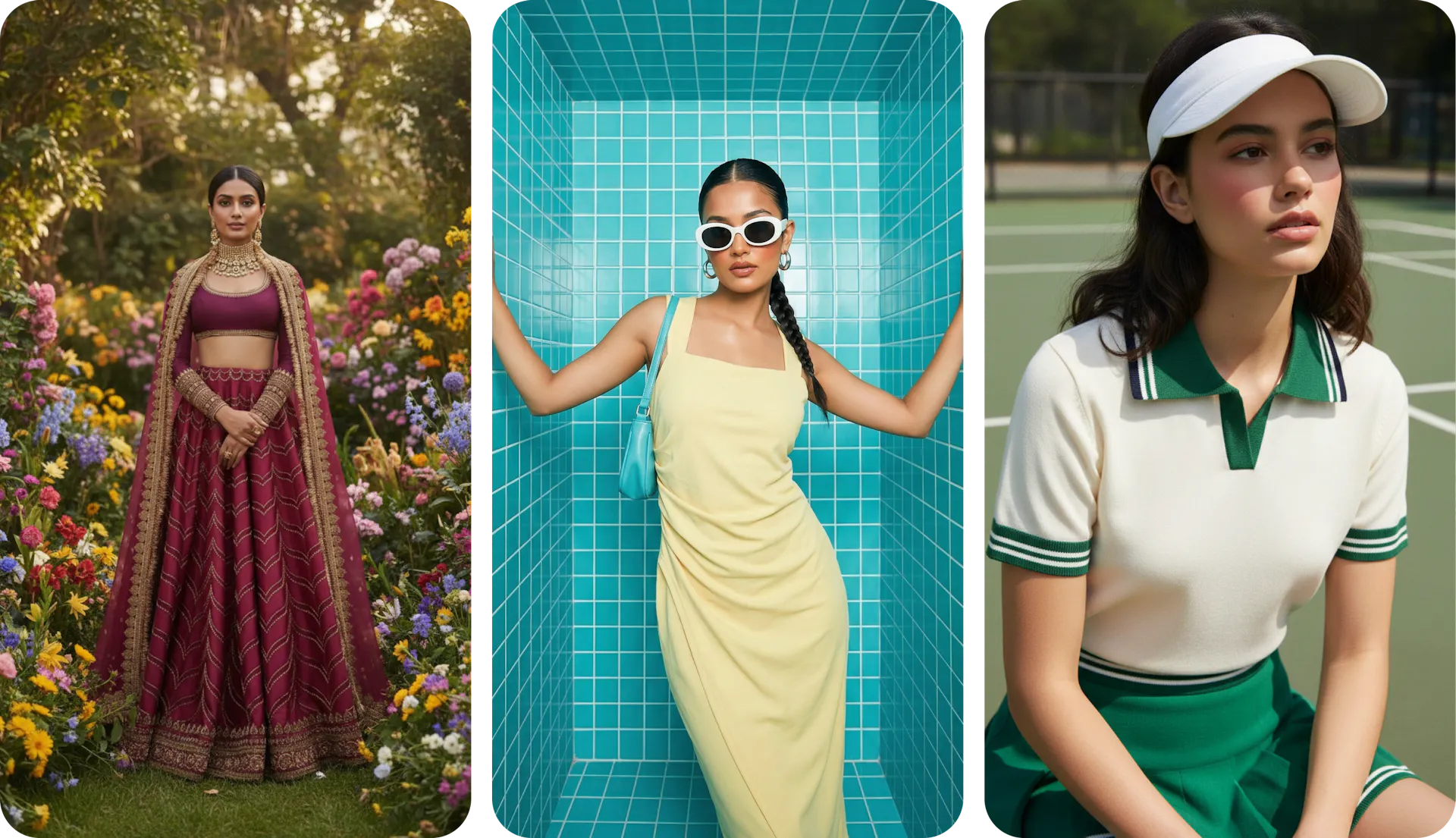
Pixelcut edits the photo you upload but cannot put apparel or accessories on a model. Blend generates virtual try-on shots from a flat product image, so fashion and accessory sellers get on-model imagery without a shoot. Keep one model consistent across the catalog.
Generated photoshoots, not just edited photos
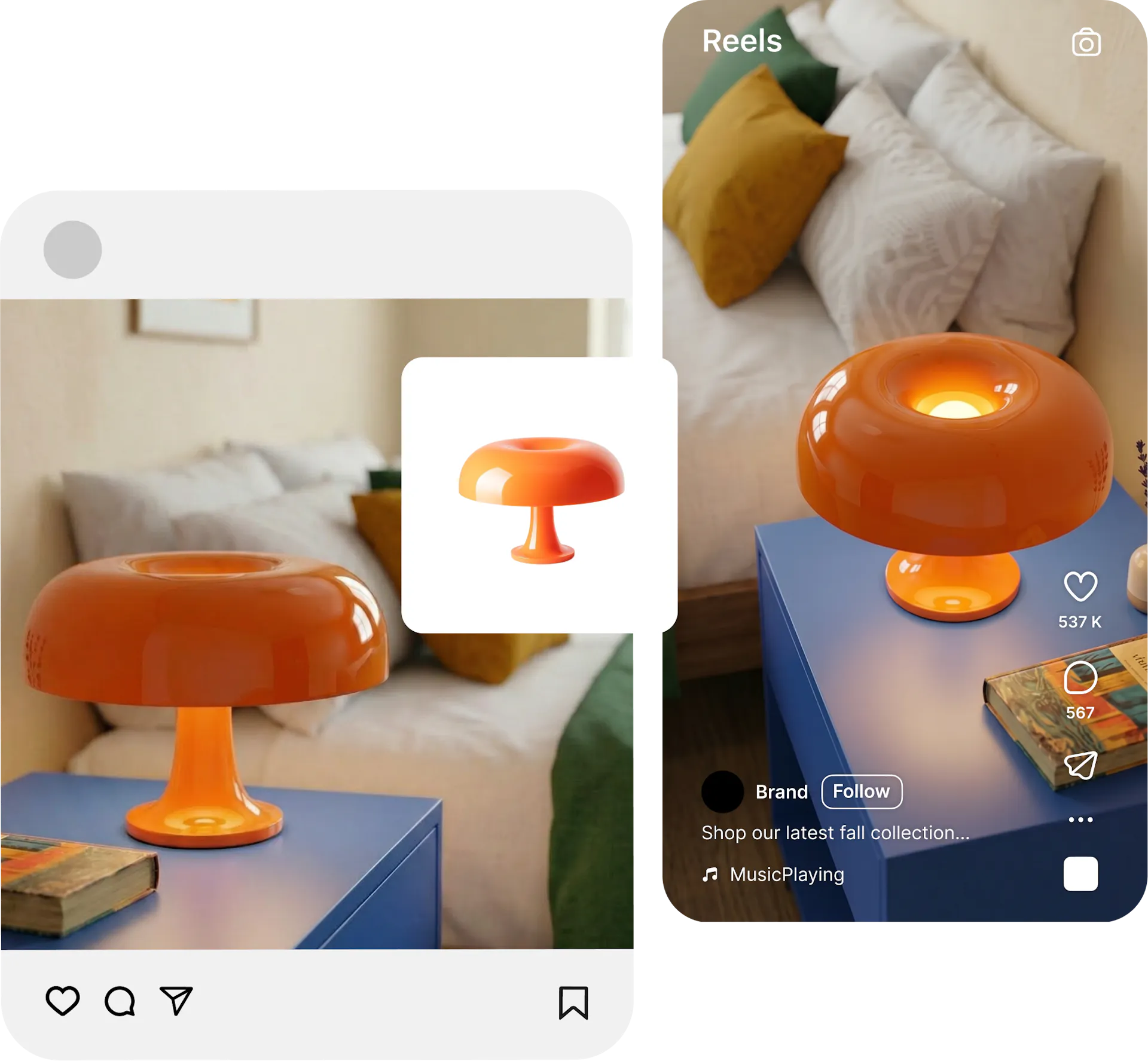
Pixelcut's core is editing, so removing a background, erasing an object, or dropping in a template. Blend generates new scenes around your product, placing it in styled lifestyle settings a background swap cannot match. Start from a plain product image and get a full shoot.
Video and scheduling in one place
Both tools create video, and Blend keeps the product accurate by animating your exact image, then lets you queue the result as a social post without a second app. Pixelcut has no built-in scheduler. Product to post stays in one studio.

Why Sellers Prefer Blend over Pixelcut
capabilities Pixelcut still lacks: catalog-locked model consistency across every SKU, and a built-in social post scheduler. Pixelcut has expanded from editing into generation, but those two workflow pieces stay outside its platform.
is Pixelcut Pro's entry price for an editing-first platform. Blend is a generation-first studio that creates new product scenes, model shots, and video from a single upload, not just edits to photos you already have
AI tools from AI Model try on, lifestyle shots, studio shots and AI reel makers. Pixelcut has expanded from editing into generation, but its roots are in per-image touch-ups. Blend was built from day one around the full product visual workflow.
workflow from shot to scheduled post. Pixelcut ends at the exported image. Blend includes a social post scheduler, so a finished photo or video clip goes straight to a queued post without leaving the studio.
Frequently asked questions about Pixelcut vs Blend
Yes. Blend matches Pixelcut's core editing features like background removal, batch, and templates, then adds AI try-on models, generated photoshoots, and post scheduling. For sellers who need more than edits, Blend is a strong Pixelcut alternative.